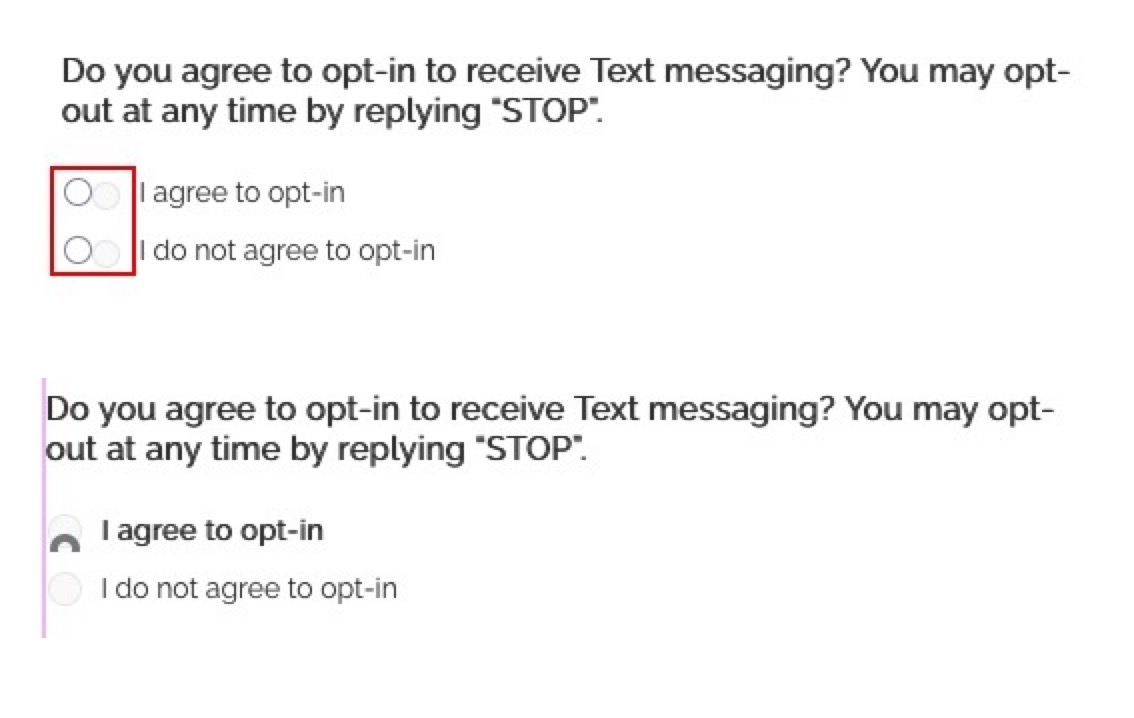
I’m trying to help a friend fix this issue on their site. Site uses Elementor and Astra. Radio buttons look correct if preview the form from the forms dashboard. So it must be something in the theme, but I can’t seem to locate any option for radio buttons. While in the Elementor editor, If I override current style and select yes to Default Checkboxes/Radio Buttons in the “Edit Gravity Form Styler” the buttons look correct until you check one (second screenshot). Any ideas are most welcome.
If the form is working as expected in preview mode but not when it is embeded on the site, its a good indication there is a conflict of some sort. I suspect it is caused by the Ultimate Elementor plugin adding its owns styles for the radio button choices: screenshot
Thanks for the reply, that’s definitely the issue. Now I just need to figure out how to edit it without causing issues elsewhere on the site. After playing around in dev tools I thought i had it, but when I tried to actually implement the change, some other parts of the page were messed up. Anyway, at least I now know what the issue is, so thanks again.