Hi @SFeher,
Issue 1:
You are correct that the behavior can be confusing. When you return an integer (number) via this filter, Gravity Forms treats it as an absolute scroll position (pixels from the very top of the page), rather than a relative offset from the form itself. For example, returning 20 will scroll the browser to exactly 20px from the top of the page.
To achieve a custom relative offset (e.g., “scroll to the form but stop 50px above it”), the best approach is to disable the default scroll and handle it with a small JavaScript snippet.
Step 1: Disable the default scroll
Add this to your theme’s functions.php file. This prevents Gravity Forms from running its own scroll logic.
add_filter( 'gform_confirmation_anchor', '__return_false' );
Step 2: Add your custom scroll logic
Add the following JavaScript to your site (e.g., in your theme’s JS file). This listens for the form to reload and scrolls to the form with your desired offset.
jQuery(document).on('gform_page_loaded', function(event, form_id, current_page){
    var offset = 50;
    var form_container = jQuery('#gform_wrapper_' + form_id);

    if(form_container.length > 0){
        jQuery('html, body').animate({
            scrollTop: form_container.offset().top - offset
        }, 500);
    }
});
Issue 2
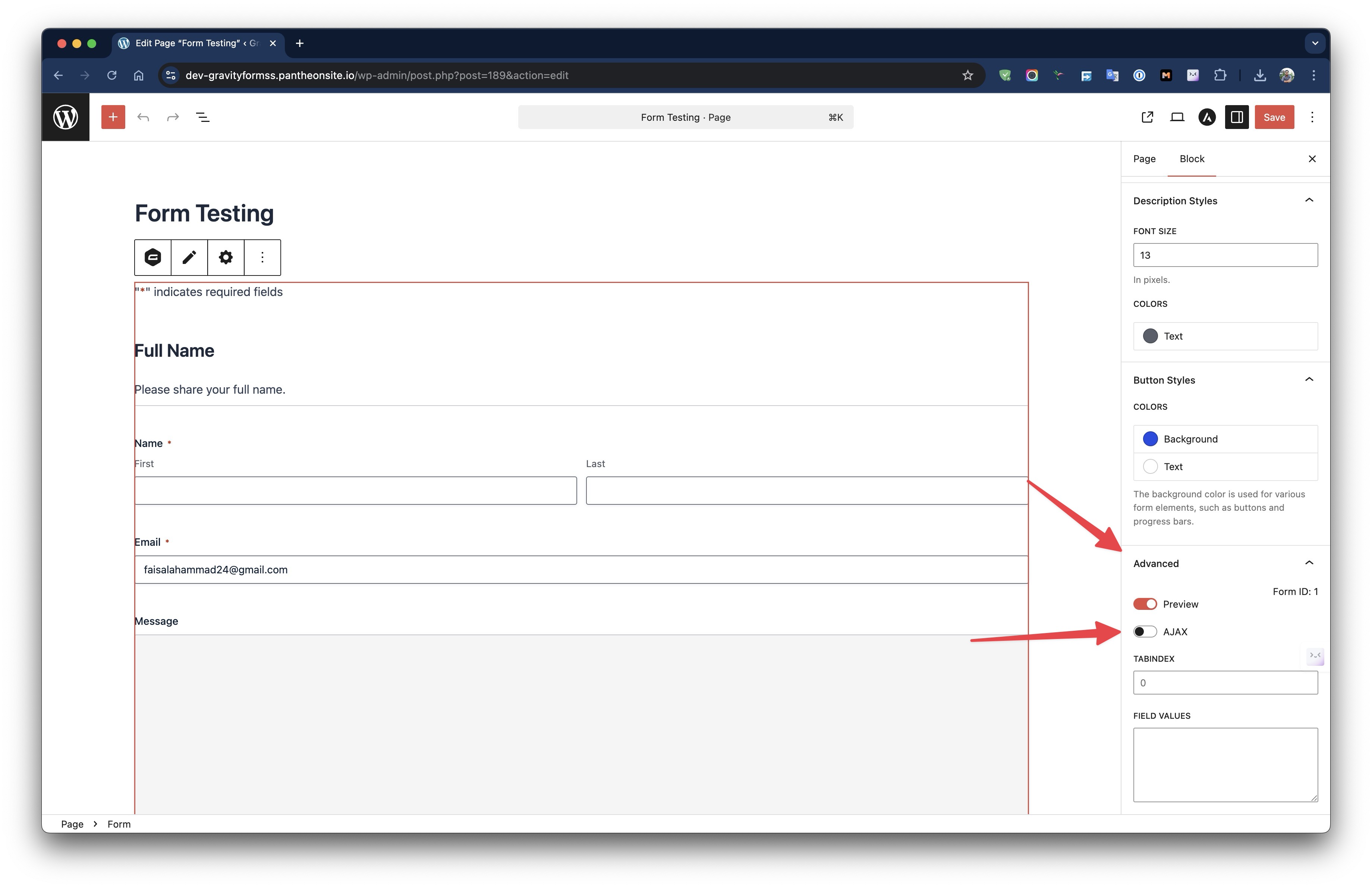
You can enable or disable AJAX from the block settings, as shown in the screenshot below, if you’re using the Gutenberg block to embed the form.
If you’re using the shortcode, simply add the ajax parameter and set it to true, as shown in the following code.
[gravityform id="1" ajax="true"]
Give it a try, and let me know how that goes!