Hi. Website for a non-profit association. There are two forms: the first is the form for initial membership of the association (it is not a form for registering on the website but for joining the association; it is not a form for logging into the WordPress site but for joining the association; it is not a form for creating user roles to access the WordPress backend, but only for registering with the Association), whilst the second is the form for the annual renewal of membership of the Association
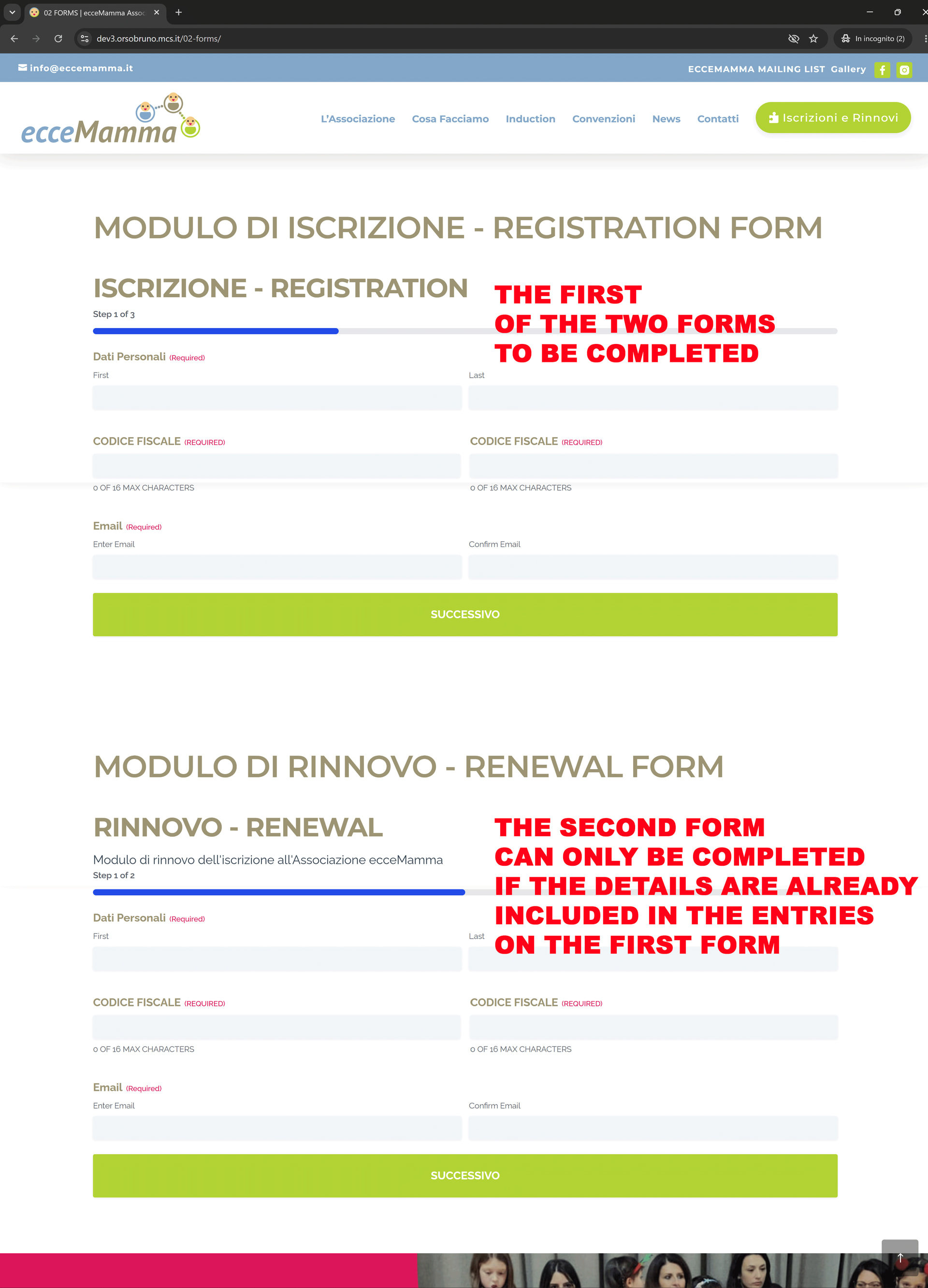
URL https://dev3.orsobruno.mcs.it/02-forms/
How can we prevent users from accidentally starting with the renewal form? Let me explain: users must first register with the Association, and only the following year will they be able to renew their membership. And if a user accidentally starts with the RENEWAL form, a message should appear stating that their details are not on the Association’s register, for example: “We were unable to find your details to process the renewal.”
I tried this How To Restrict Forms To Logged In Users - Gravity Forms Documentation but it doesn’t solve the problem: the message still appears before the renewal form is filled in, whereas it should appear when the user enters their email address in the email field, if that address is not already present in the email records from the Association’s registration form
In short: if the user’s email address is already present in the records received from the REGISTRATION form, the user will be able to fill in and submit the RENEWAL form; however, if the user is not already present in the records received from the REGISTRATION form, they will not be able to submit the RENEWAL form and the following message should appear: “Renewal failed: We were unable to find your details for renewal. Please register or contact us”.
Could you advise me on how to resolve this? Is an add-on required, or would it be possible without any additional add-ons? Thanks a lot. Kind regards. Bruno

 Best regards