We need to add a text line in form from the URL We know how to do this for a fillable fields, but this line should not allow user entry. What type of field will do this?
Hi Sonja,
First, add a Single Line Text field. Then go to Advanced, enable “Allow field to be populated dynamically,” and set a parameter name that will work like a query string. If you pass the value in the form page URL, it will auto-populate, for example: https://dev-gravityformss.pantheonsite.io/form-testing/?mutedtext=hello123.
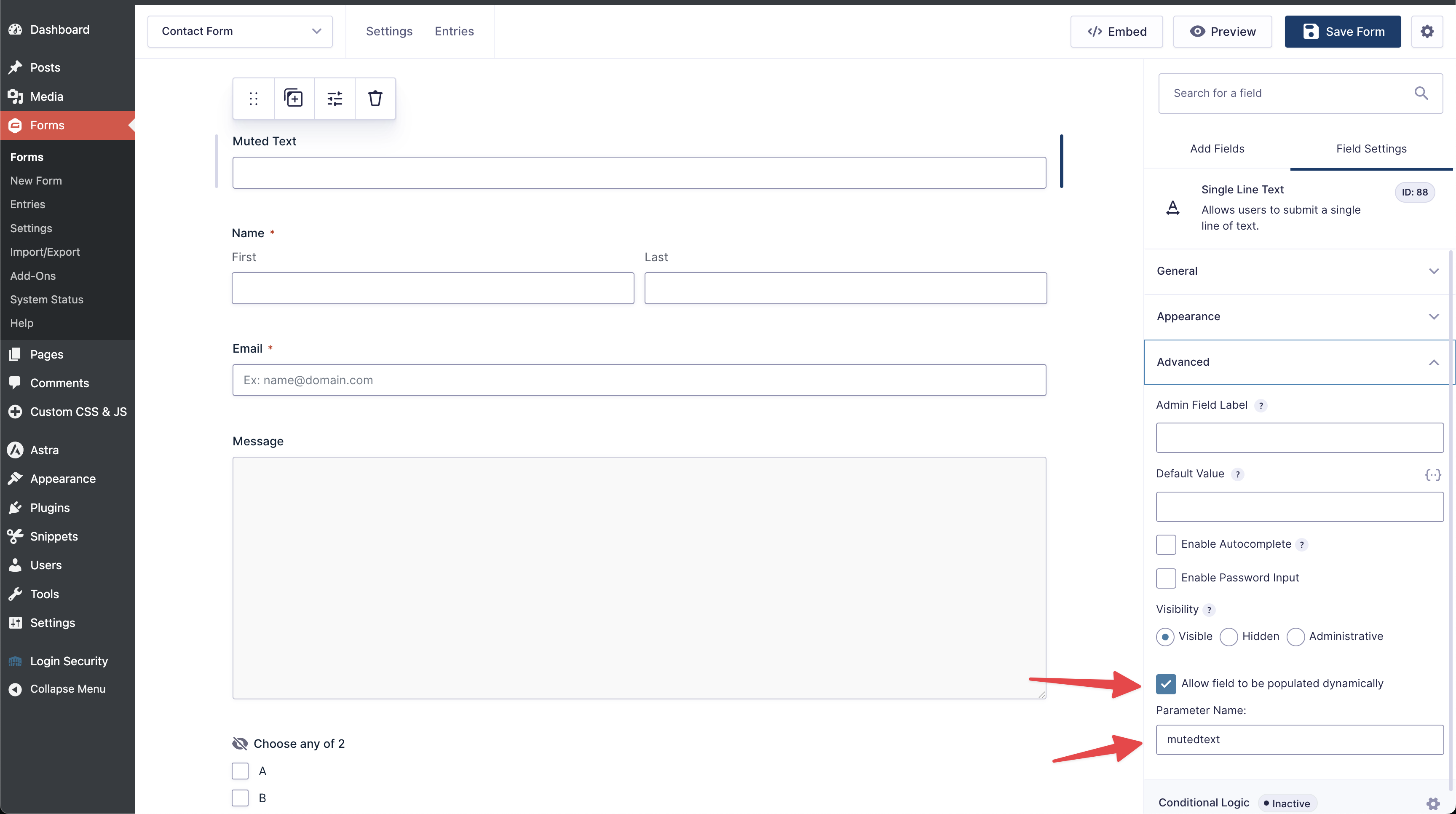
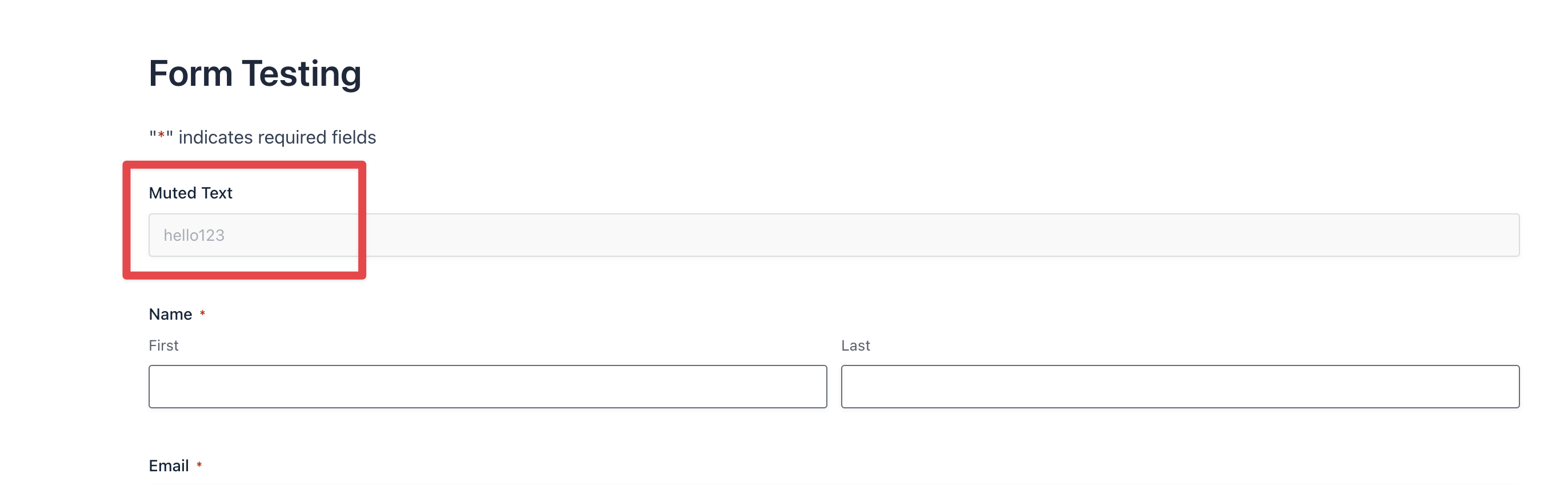
You should then see the first field value set to “hello123.”
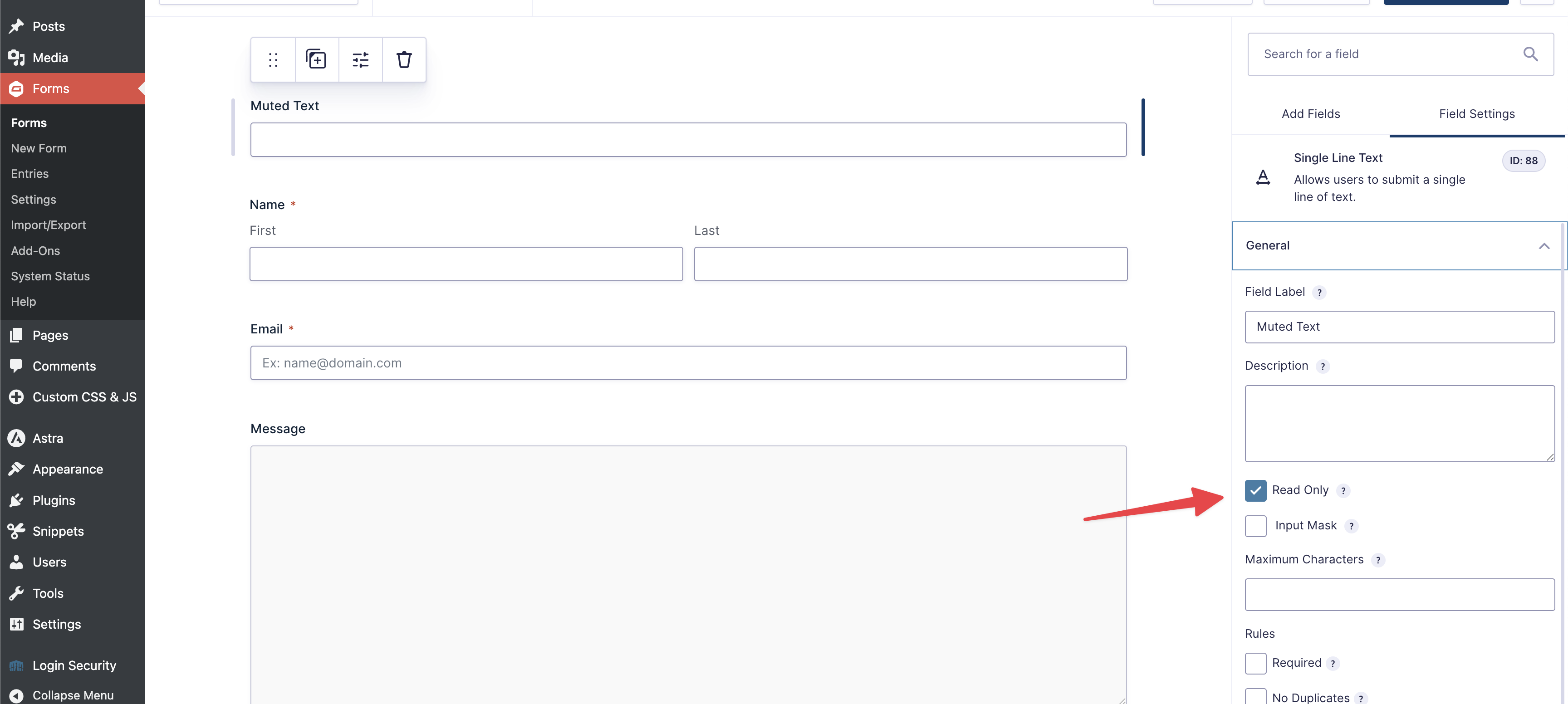
Next, make the field noneditable. Download the “Read Only Fields for Gravity Forms” plugin and enable the “Read Only” option under General, as shown in the screenshot. On the frontend, the field value will be muted so no one can edit it.
Give it a try, and let me know how that goes! 